
Solo
For companies with up to 2 team seats.
$19/ month
USD · Billed monthly
2 team seats included
- Project photo documentation
- Project areas and checklists
- Project reports and PDF export
- Client sharing and team roles
For field service teams
FieldLayer is a mobile-first web app for documenting work across cleaning, landscaping, roofing, pressure washing, pest control, painting, and other trades.
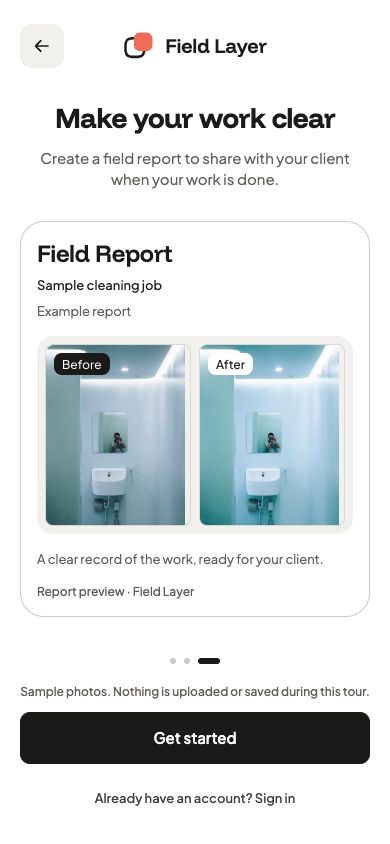
One project record
Group photos by project and area, track checklist items, then share the report with the client.
Project photos
Add before-and-after photos to the same project area. Review each pair with the rest of the job record.


Project checklists
Use a shared project checklist and track item completion alongside the job photos.
Client reports
Review the project photos and checklist in a report. Export a PDF or share a link with an expiry date.
Project workflow
Create the project, document the work, then prepare a report for the client.
Add the job site and areas. Take photos before work begins.
Add progress and after photos. Mark checklist items complete.
Review the photos and checklist. Export a PDF or share the report with the client.
Mobile-first web app
Open the installable web app from your phone’s browser. Native iOS and Android apps are planned.
Open from your phone’s browser
 iOS app · Planned
 Android app · Planned
App Store and Google Play listings are not available yet.
Planned launch pricing
Each plan has one price per company and includes a set number of team seats.
Annual prices equal ten monthly payments.
For companies with up to 2 team seats.
USD · Billed monthly
2 team seats included
For companies with up to 8 team seats.
USD · Billed monthly
8 team seats included
For companies with up to 20 team seats.
USD · Billed monthly
20 team seats included
Prices are planned launch prices in USD. Subscriptions are not open yet. Applicable taxes may apply when billing becomes available.
For teams above the listed seat limits:Talk to us about Enterprise
Product details
FieldLayer supports field service teams. Company setup offers Cleaning, Landscaping, Roofing, Pressure washing, Pest control, Painting, and Other trade.
Open the mobile web app at app.fieldlayer.app. Public subscriptions and native store releases are not available yet.
Each plan includes seats for the company: 2 on Solo, 8 on Team, and 20 on Business. Contact us to discuss a larger team.
You can prepare a report with the project photos and checklist, export it as a PDF, or create a share link. Share links support expiry and revocation.
Original photo files and capture metadata stay unchanged after upload. Report layouts are separate from the original evidence.
The planned installable web app works in a browser. You can also add it to your home screen. Native apps for iOS and Android are planned; they are not available in the stores yet.
FieldLayer web app
Open FieldLayer to document a field job.
Open FieldLayer